Unreal has little tooling out of the box to support level creation specific to RTS games, so some work had to be done to help our designers who largely came from using the StarCraft 2 editor to be able to create what the game required. A good terrain editor is very important, but a fully custom solution would’ve taken far too much time, so we had to get clever.
Terrain Builder
The initial workflow was very cumbersome – manually editing the Unreal landscape actor, placing nav blocking volumes where required and mirroring any and all changes manually if symmetry was required.
The landscape actor also has runtime overhead for features we didn’t benefit from – streaming, LOD transitions, and a dense, uniform vertex distribution.
Additionally, triangulation of the heightmap was troublesome as it would produce asymmetrical results – jagged edges for some ledges and smooth diagonals for others. Because navmesh generation relied on the topology of the landscape, this broke symmetry in mirrored maps, interfering with competitive integrity.
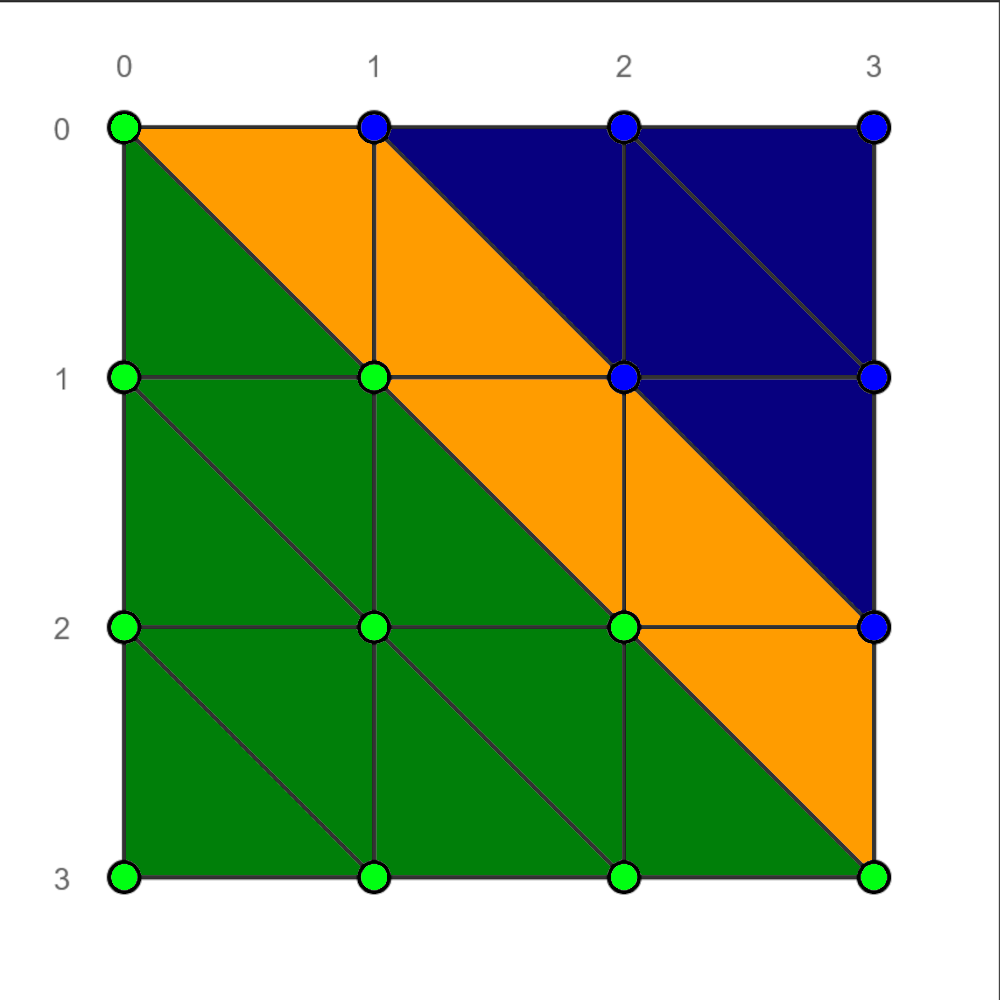
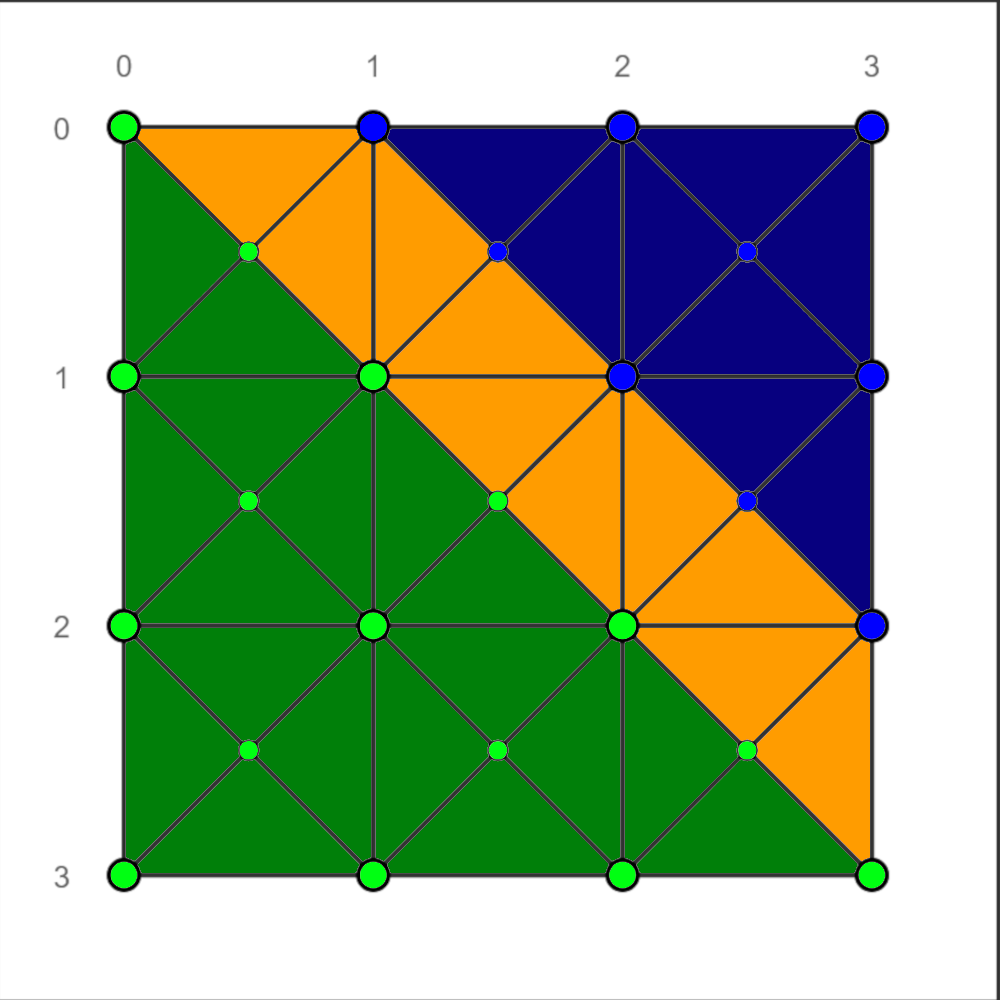
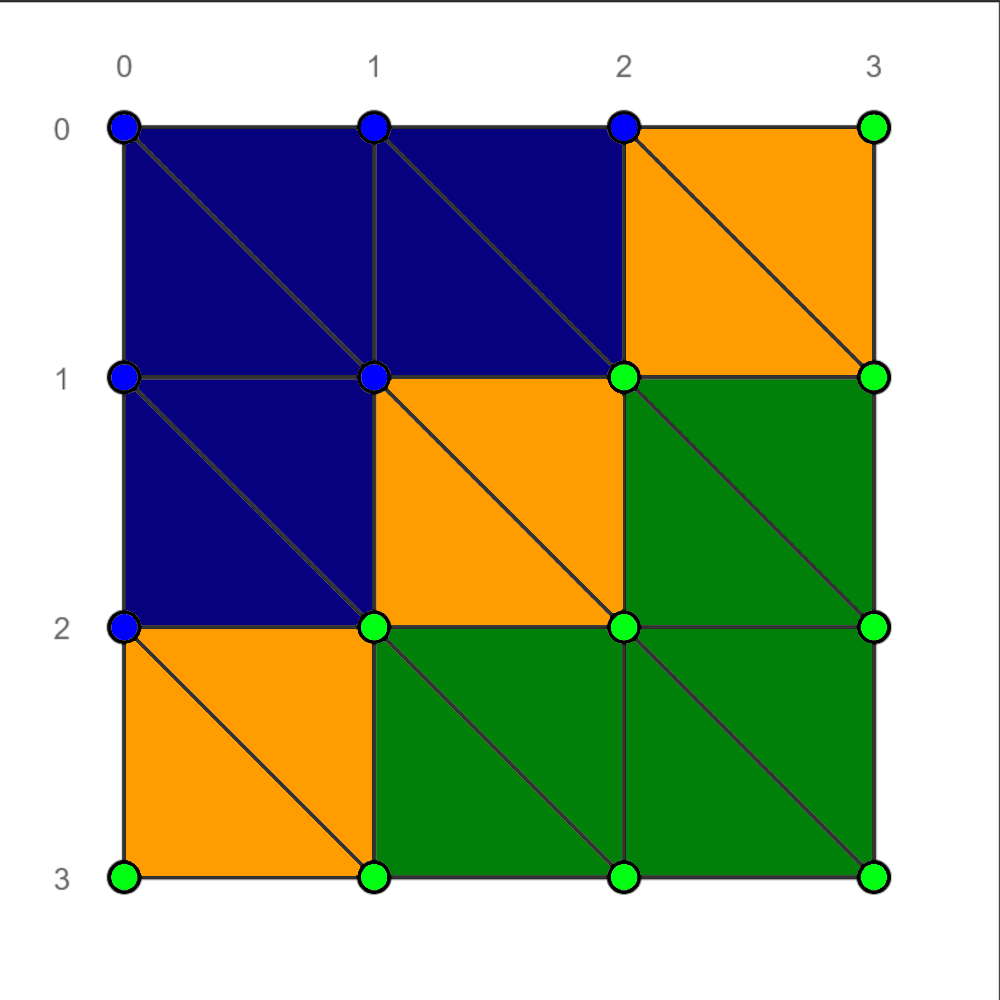
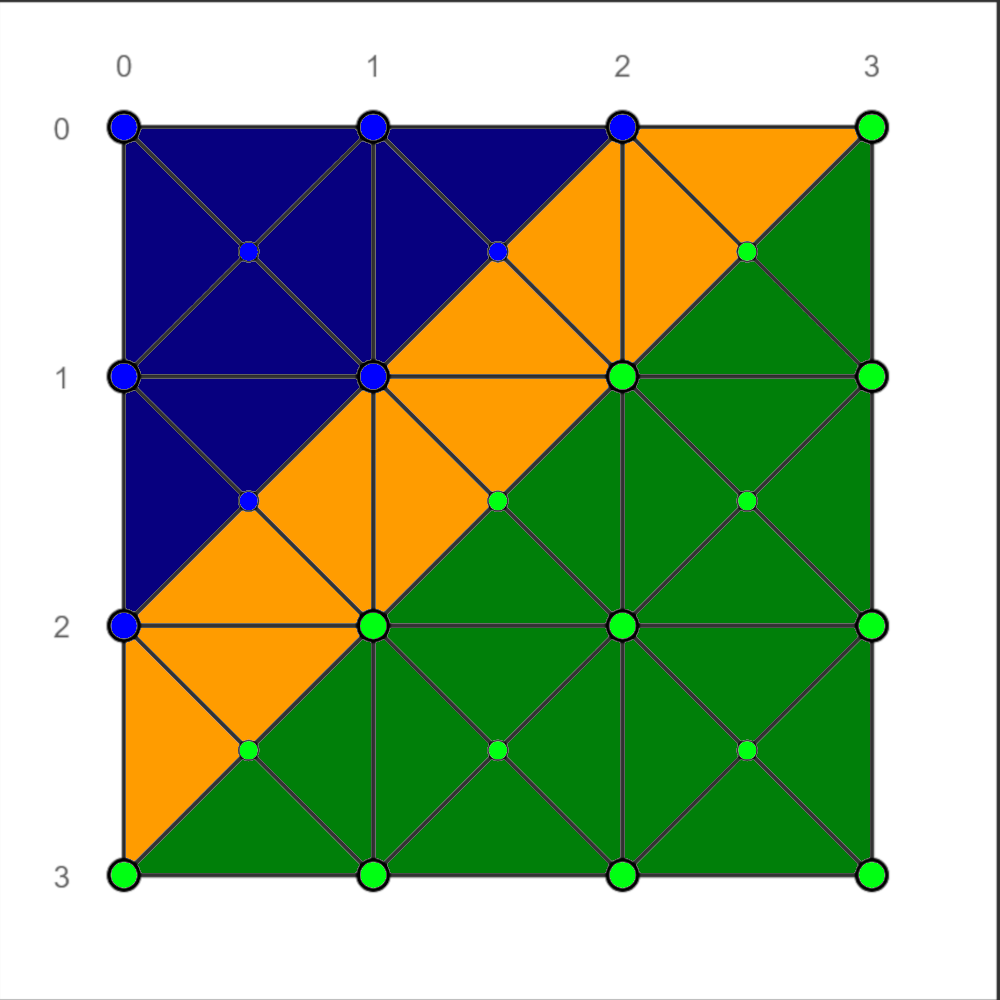
Default Unreal landscape topology vs our custom Houdini generation
Green – high ground
Blue – low ground
Yellow – in between
Symmetry is respected on the right
We ended up with a setup where the landscape actor is essentially editor only, and several static meshes are baked out during edit time via Houdini Engine for rendering, collision and navigation. A few additive paintable landscape layers are used as inputs to the build process for custom functionality. The navigation blocking layer is one example.
The mesh generated for rendering ends up with a much lower poly count than the landscape actor, since we can run it through poly reduction during bake time. The terrain being completely flat in most areas results in the reduction being very effective.
Ramp Tool
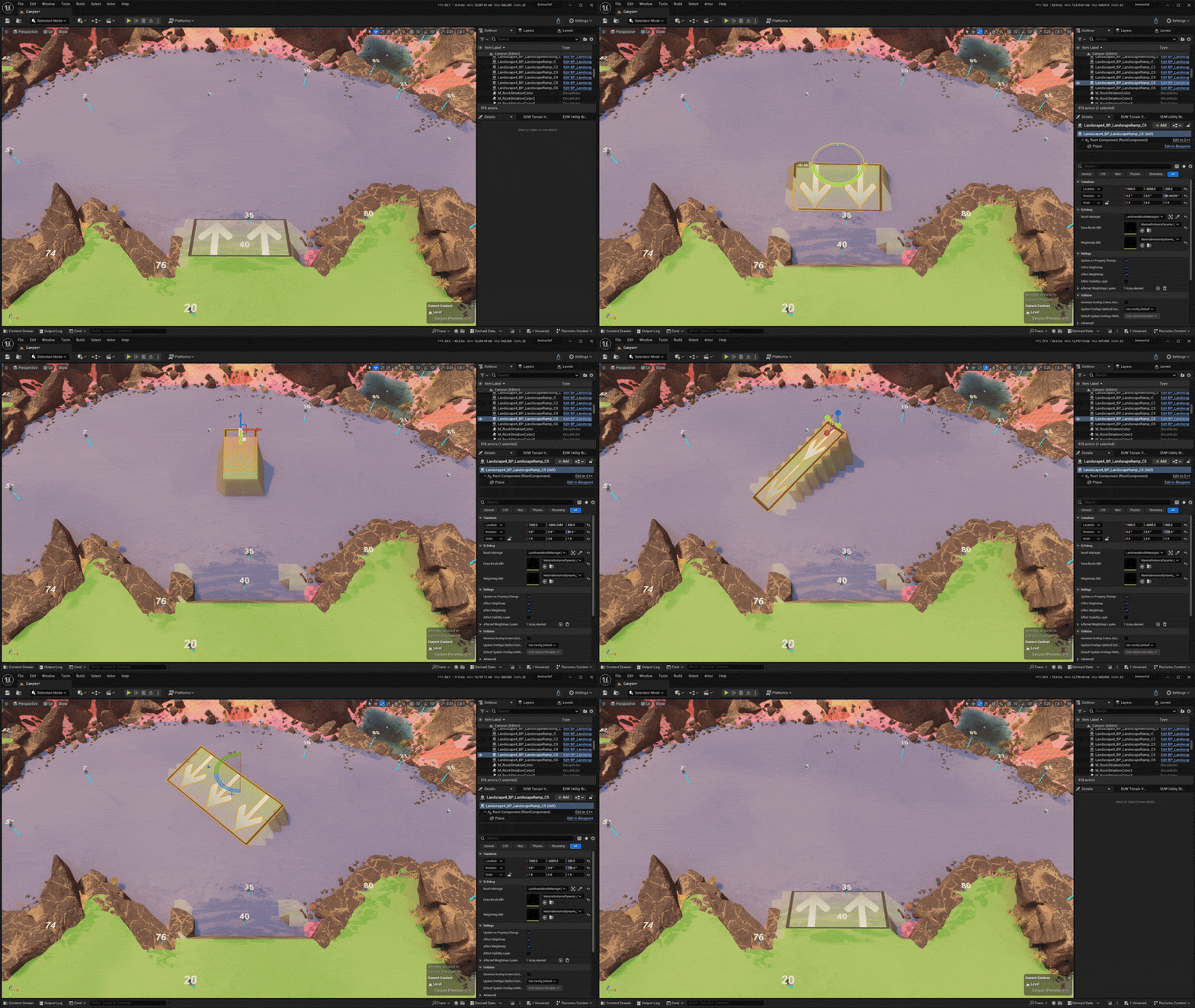
The stock Unreal landscape ramp tool was not meant for precision, so I built a custom blueprint based on the epic landmass plugin.
- Auto snapping the location to the closest grid point,
- Auto snapping to the closest multiple of 45° in yaw, allowing for diagonal ramps,
- Auto snapping to the closest integer in scale, allowing for arbitrary width and height,
- Sends hints to the terrain build process to block building on ramps,
- Works alongside the mirroring tool
Mirroring Tool
Similarly to the ramp tool, the mirroring tool in stock Unreal was destructive, a tad clunky and didn’t have all the options we needed, so I built one, again, using the landmass plugin.
- Supports diagonal and rectangular mirroring, with optional rotation,
- Non destructive
- Updates in realtime (in editor)
- Can mirror weightmaps (the navigation blocker layer, for example, is mirrored by default)
- Slots into the landscape editor layer system (as all landmass brushes do), which means it can be stacked multiple times for more complex mirroring setups, and layered in between manual edit layers
Terrain Views Editor Utility Widget

The terrain views editor utility widget helped visualize data relevant to level designers and artists
Build Grid
The build grid which gets generated during the landscape baking process is then used at runtime to check which locations in the level are buildable or occupied. I created the initial API to be able to query and poke into the build grid during gameplay in C++, as well as then creating the visuals for it.
 Ignas Klydžia